...

Welcome to our Support Center

If you have any questions, issues or suggestions, feel free to contact us:

Email: support@flyingbee.com

Skype: flyingbee.software
Telephone: +18303920398

feihone support center map background

How to set the PDF Printer to open automatically when logging in to the mac system

james wei 2020-08-04 15:51:54
Instead of click manually via the Launch-pad of my Mac every time when turning on the MacBook, Let's set the PDF Printer to launch automatically when logging in to the mac system.
PDF Printer for Mac
http://www.flyingbee.com/products/pdf-printer/

User Problems and Suggestions

Robert Cameron​: Hello, i just want to give yourselves an update that I have found a way to use the PDF Printer is that I must click on manually via the Launch-pad of my MacBook Pro every time I turn on the MacBook Pro.  It won’t do automatically for me for some reason.

How to set the PDF Printer to open automatically when logging in to the mac system?

Instead of click manually via the Launch-pad of my Mac every time when turning on the MacBook, Let's set the PDF Printer to open automatically when logging in to the mac system.
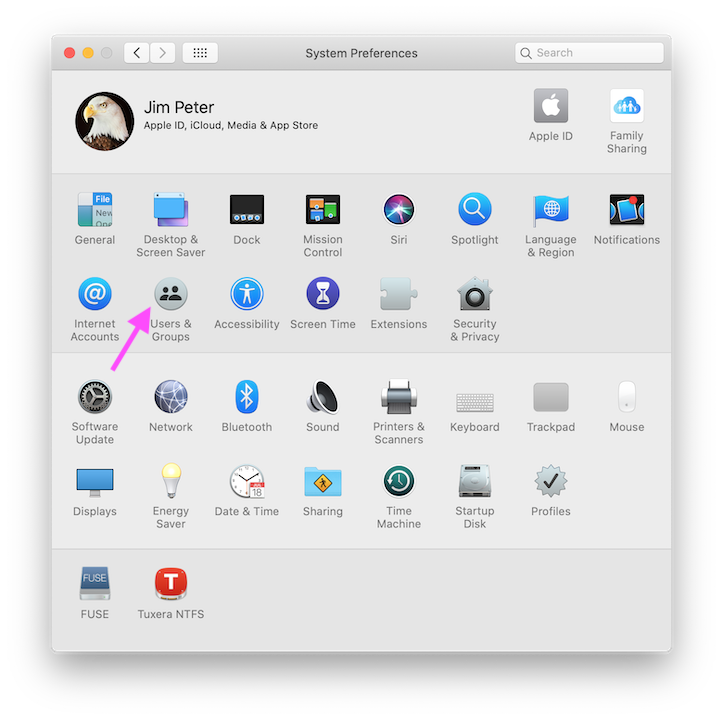
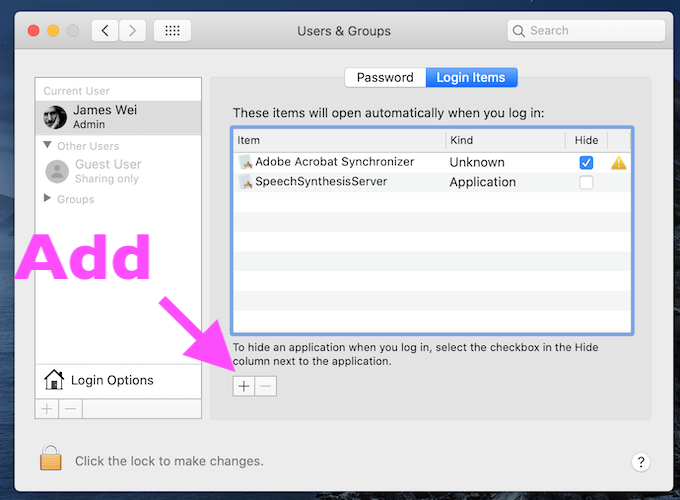
1. Open "System Preferences" on your Mac's lauchpad:


2. Select "Users & Groups" button

3. Select the "Login items"


4.
Select "+" to add PDF Printer to this login list.


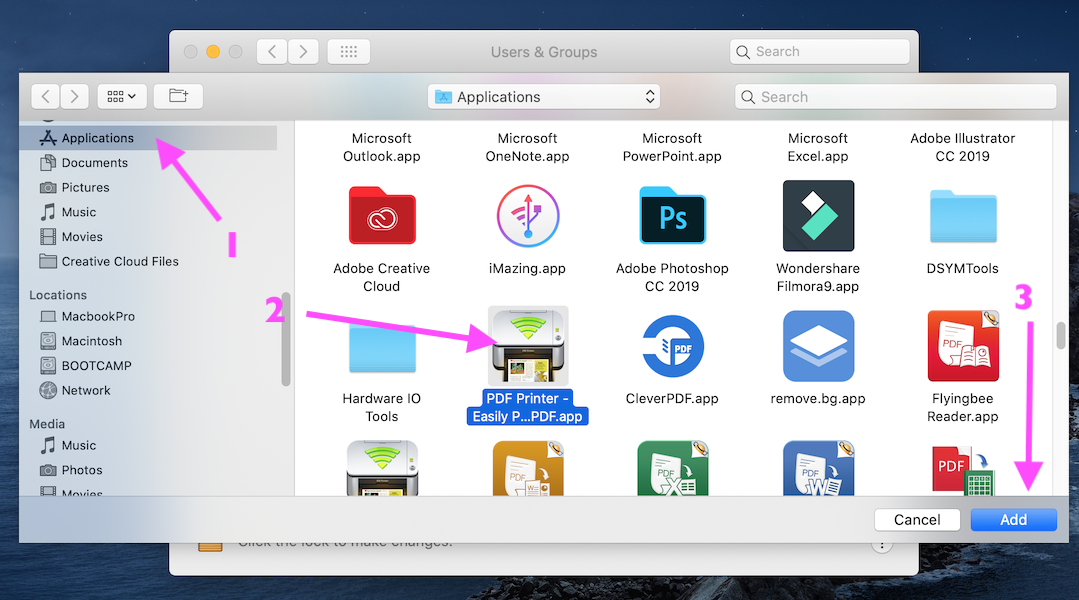
5. Select "PDF Printer" app in the Applications folder:


6. Click "Add" button to save setings.


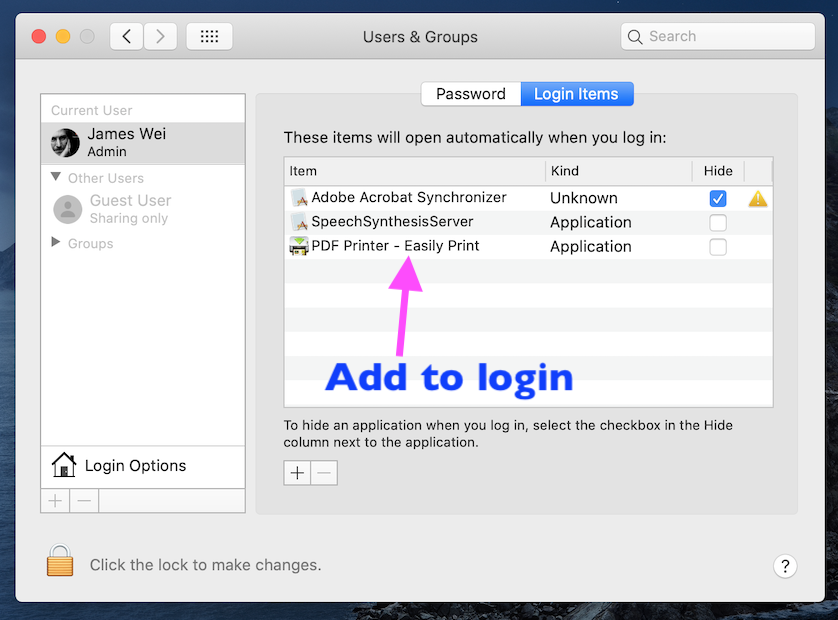
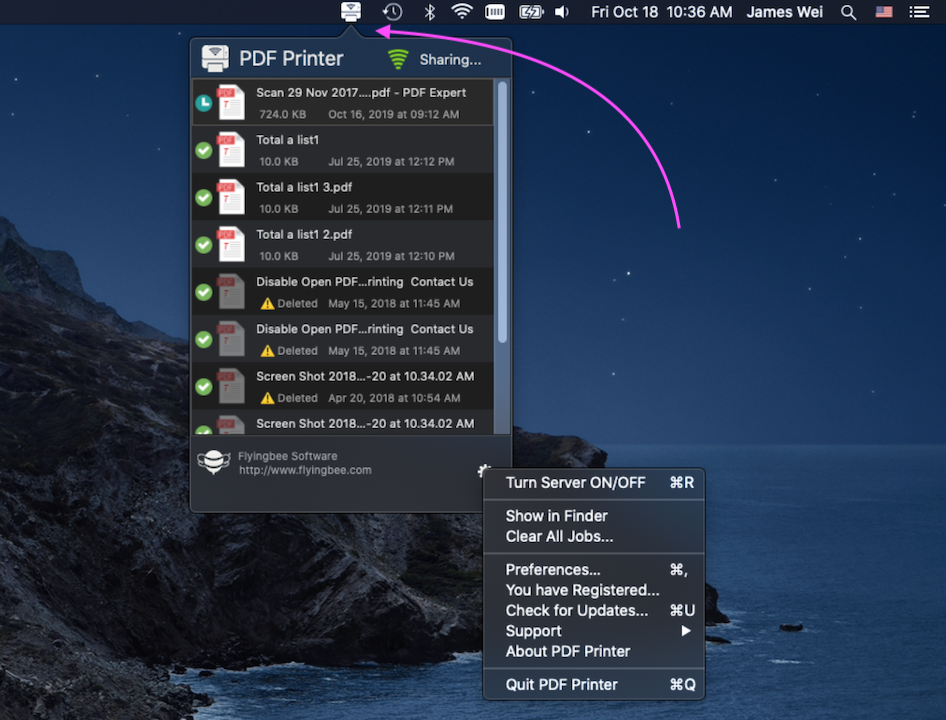
Now, you have learn how to setup, The PDF Printer will open automatically when you log in the mac system.

Set the unattended Mac and App to run permanently

If you want to run this software for a long time (more than 1 day), you need to keep your computer awake.

The following settings are required:
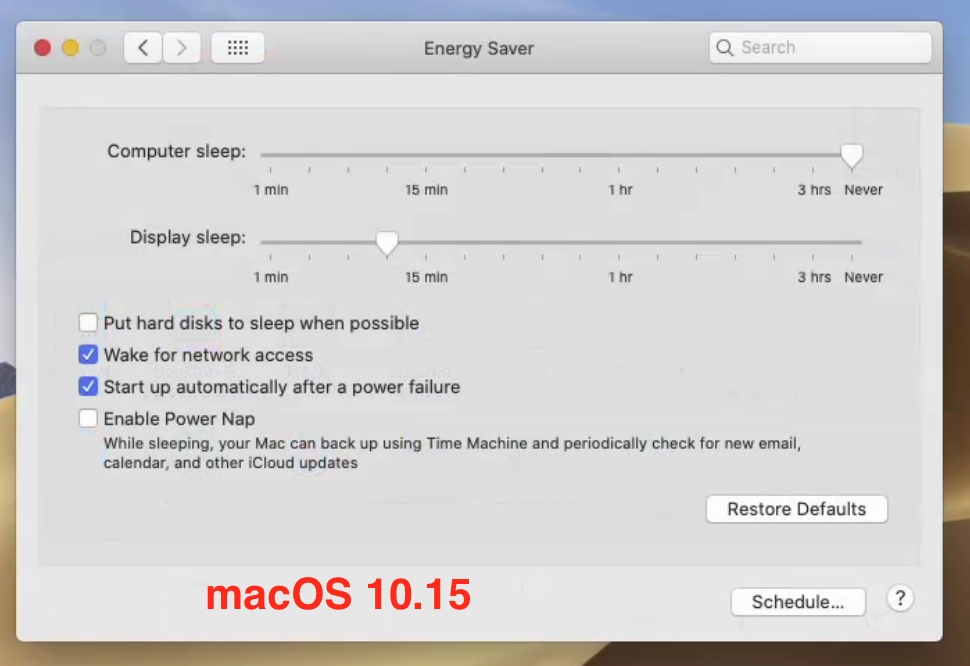
1. For macOS 10.15, Open "System Preferences" on your Mac's lauchpad, Select "Energy Saver".
Set computer sleep to Never, Uncheck "Put hard disk to sleep when possible".


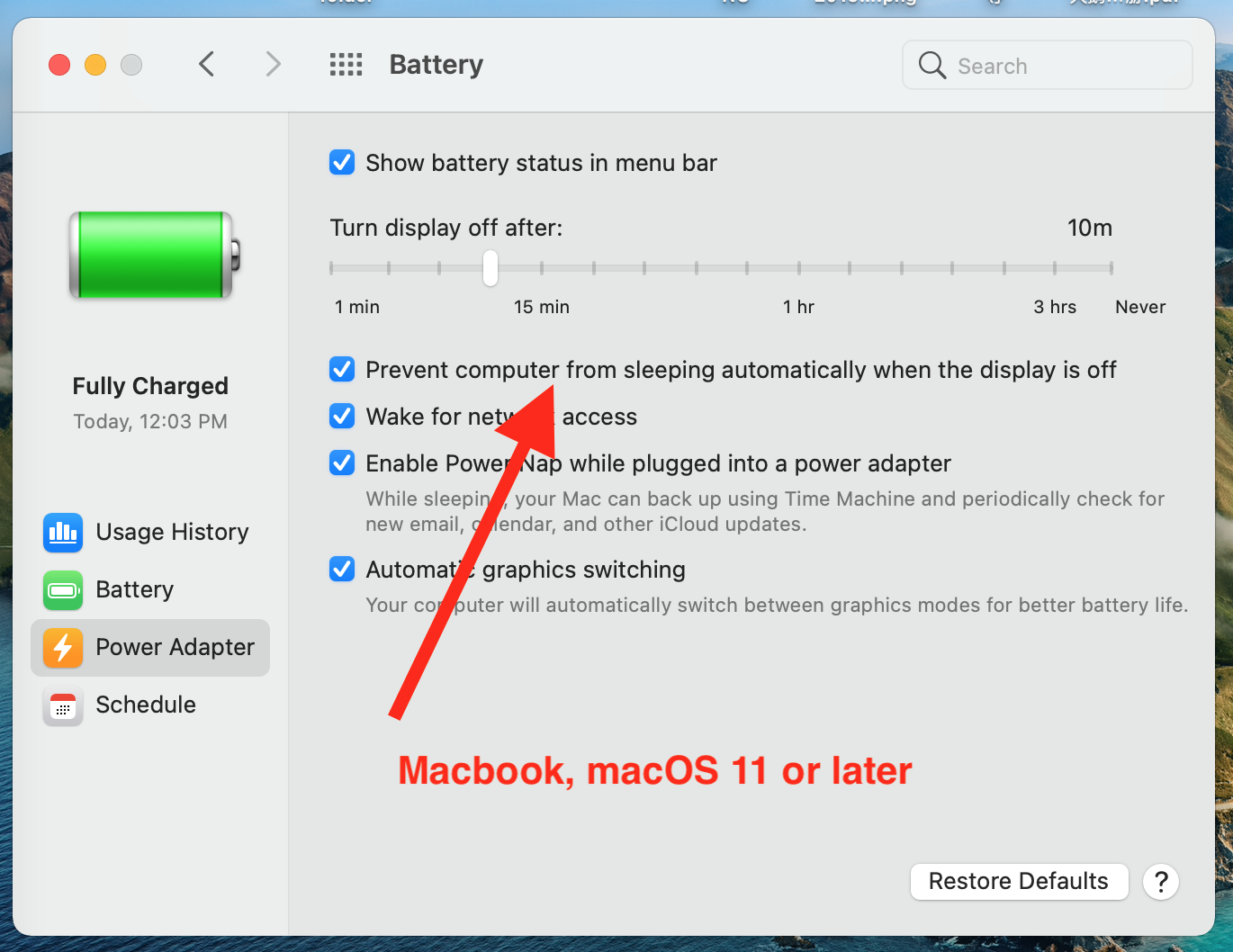
2. For macOS 11, Open "System Preferences" on your Mac's lauchpad, Select "Battery".
Check "Prevent computer from sleeping automatically when the display is off".


Okay, Please try it with yoursef now, :-).


Latest Articles
Hot deals
Language and Region
  • يمكن لمتصفحك الترجمة إلى "العربية"
  • Ihr Browser kann ins „Französische“ übersetzen
  • Votre navigateur peut traduire en français
  • Il tuo browser può tradurre in "italiano"
  • Su navegador puede ser traducido al español
  • Uw browser kan vertalen naar "Nederlands"
  • O seu navegador pode traduzir para "Portugal"
  • ブラウザで「日本語」に翻訳できます
  • 귀하의 브라우저는 "한국어"로 번역할 수 있습니다.
  • Ваш браузер может переводить на "русский"
  • आपका ब्राउज़र "हिंदी" में अनुवाद कर सकता है
  • เบราว์เซอร์ของคุณสามารถแปลเป็น "ภาษาไทย" ได้
  • 您的浏览器可翻译为"中文"
  • 您的瀏覽器可快速翻譯為"繁體"
  • Please use your web browser's built-in translator to translate the language, right-click to use the "Translate" feature in Chrome, Edge and Safari browsers.
Apple, the Apple logos, MacBook, iPad, iPhone, Apple Watch, and Apple Vision Pro are trademarks of Apple Inc., registered in the U.S. and other countries. App Store and Mac App Store is a service mark of Apple Inc., registered in the U.S. and other countries.
© 2014 - 2025 Flyingbee Software, All Right Reserved.
United StatesUnited States

We uses cookies to give you the best experience, analyze traffic, and personalize content. By continuing using our Site, you agree to our use of cookies. The information collected might relate to you, your preferences, or your device, and is mostly used to make the site work as you expect it to and to provide a more personalized web experience. However, you can choose not to allow certain types of cookies, which may impact your experience of the site and the services we are able to offer. Read our Privacy Policy or manage your cookie preferences. If you would like to submit an opt-out request with respect to your non-cookie personal information (e.g., your email address), find our support email address to opt-out of sale/sharing/targeting with respect to non-cookie personal information.